Megapixels are not the whole story
A 4K camera with a wide lens produces a beautiful picture of the whole garden. It can still be a poor detection camera, because what the detector sees is not the 4K picture. It sees the detection stream, typically around 704 pixels wide (see our stream settings guide). The question that decides whether a person is detected is simple: how many of those pixels does the person occupy?
Installers call this "pixels on target". It is the most useful idea in camera placement, and it is often left out of the sales conversation.
A worked example
Take a common 2.8 mm lens, which covers roughly 100 degrees horizontally. At 10 metres from the camera, the picture covers a strip of ground about 24 metres wide. At 20 metres, it covers about 48 metres.
Squeeze that onto a picture 704 pixels wide, and an adult (about half a metre across the shoulders and 1.7 metres tall) comes out roughly:
| Distance | Scene width (2.8 mm) | Person on a 704-pixel picture |
|---|---|---|
| 10 m | ~24 m | ~15 px wide, ~50 px tall |
| 20 m | ~48 m | ~7 px wide, ~25 px tall |
Now swap in a 6 mm lens, which covers roughly 50 degrees:
| Distance | Scene width (6 mm) | Person on a 704-pixel picture |
|---|---|---|
| 10 m | ~9 m | ~38 px wide, ~130 px tall |
| 20 m | ~19 m | ~19 px wide, ~64 px tall |
The same person at the same distance is two and a half times larger. The wide lens shows more, but it shows everything smaller. For long boundaries, a narrower lens aimed along the wall will detect people far more reliably than one wide lens trying to see the whole property.
Detect at the boundary, not at the door
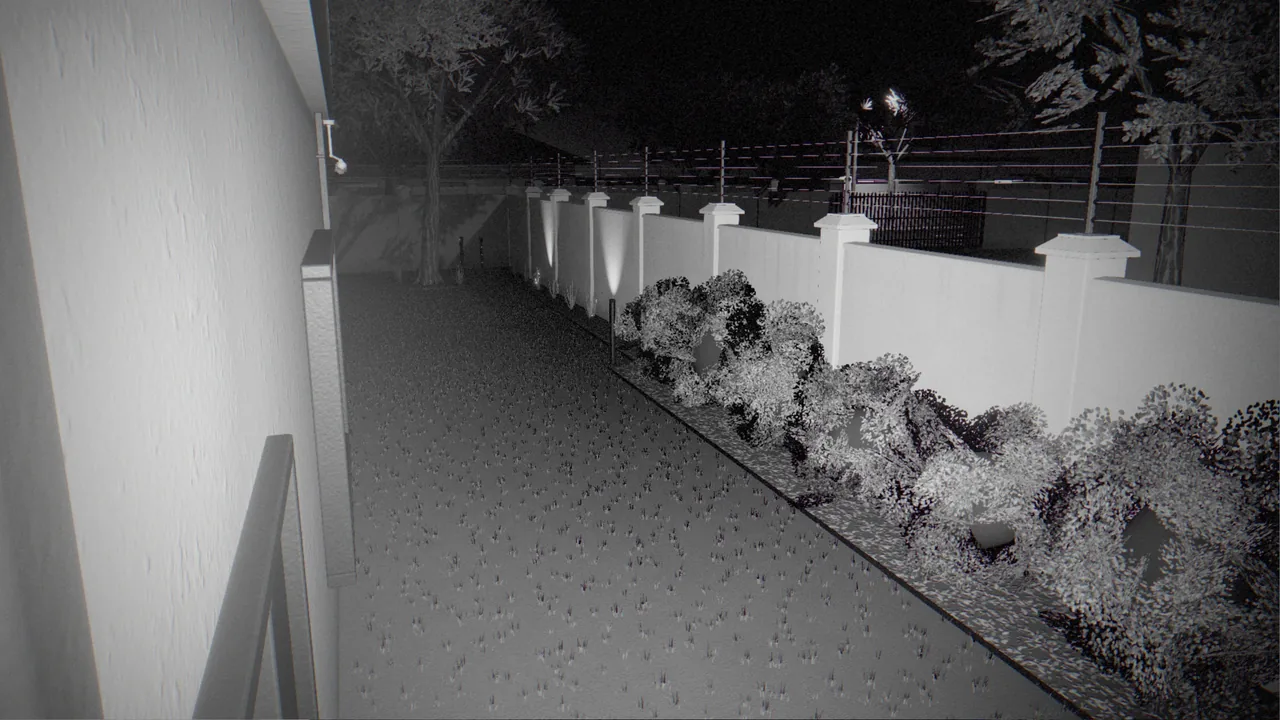
The purpose of an alarm camera is to raise the alarm while an intruder is still outside the house. Point cameras at the places where people enter the property: along boundary walls, at gates and at the obvious climbing points (the corner by the bins, the tree near the wall, the neighbour's lower roof). A camera that only sees the front door will detect the intruder after they have already crossed the garden.
Aiming along a wall rather than straight across it has two benefits. A person climbing over crosses the camera's view slowly and in profile, which gives the detector several good frames. And a narrow lens along a wall covers a long run with plenty of pixels.
Height and angle
- Height: 2.5 to 4 metres is the practical range. Lower is easy to reach and tamper with. Much higher and you look down on the tops of heads, which are harder to recognise as people.
- Tilt: a slight downward angle of 15 to 30 degrees. Keep the sky and bright horizons out of the picture, because they force the camera to darken everything else.
- Clear foreground: keep walls, gutters and poles out of the first metre or two of the view. At night they reflect the camera's infrared back into the lens (see the anatomy of a false alarm).
Light is part of the camera
Built-in infrared usually reaches 20 to 30 metres on paper, and less in practice. Beyond that range the scene is dark and grainy, whatever the resolution. If you need detection further out, add lighting. White-light floodlights also give you colour pictures at night, which are far more useful as evidence and easier for operators to read.
Avoid pointing cameras into lights: a street light, a neighbour's security light or the rising sun on an east-facing wall will blind a camera for part of every day or night.
Cameras should watch each other
Where the layout allows, place cameras so that each one sees at least one other camera. An intruder who tries to cover, spray or turn a camera is then recorded doing it. CleverCam also raises its own tamper warning when a camera's view is blocked, blurred, blinded or moved. See how camera tamper detection works.
Keep your neighbours out of it
When a camera's view includes the street, a neighbour's window or a shared driveway, use Privacy zones in the CleverAlert app (camera Settings, then Set privacy region). You can draw up to eight areas per camera. Nothing inside them raises a detection, and they are blurred on event photos. That reduces false alerts from people who are simply walking past, and it is good practice under POPIA.
Commission at night
Almost every placement problem is invisible during the day. Before you sign off an installation, walk the boundary after dark with live view open, and have someone stand at the far edge of each area you want covered. If you cannot clearly make out a person on your phone, the detector will struggle too. Fix it then, not after the first missed alarm.