The CleverAlert app

Your whole site. Armed in one tap.

CleverAlert is the free app for your CleverCam system. Arm, disarm, watch live and talk to your security company from one screen, with a photo on every alarm.

Download on the App Store Get it on Google Play

Free on iOS and Android. Needs a Clever Control Unit on site.

9:41
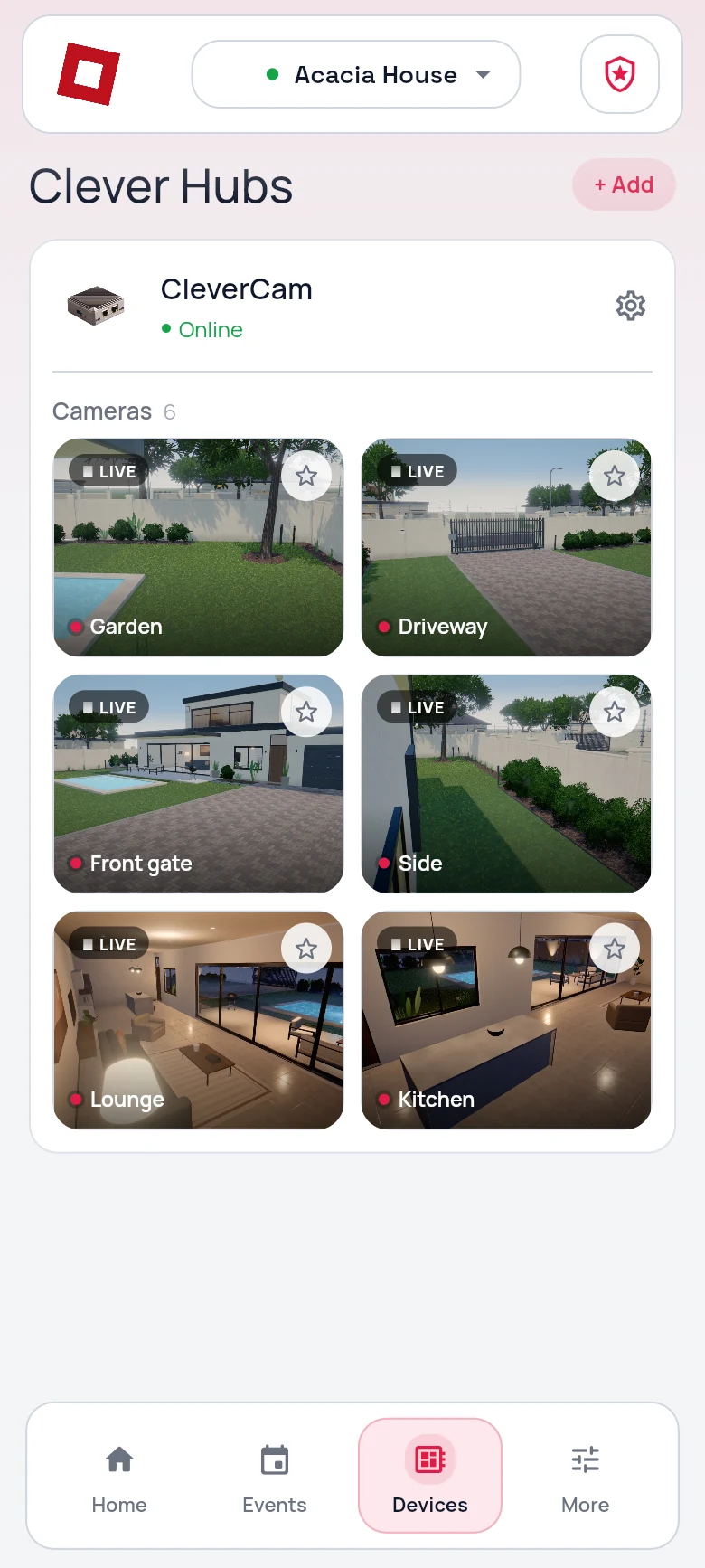
CleverAlert devices screen: one hub online with six live cameras
9:41
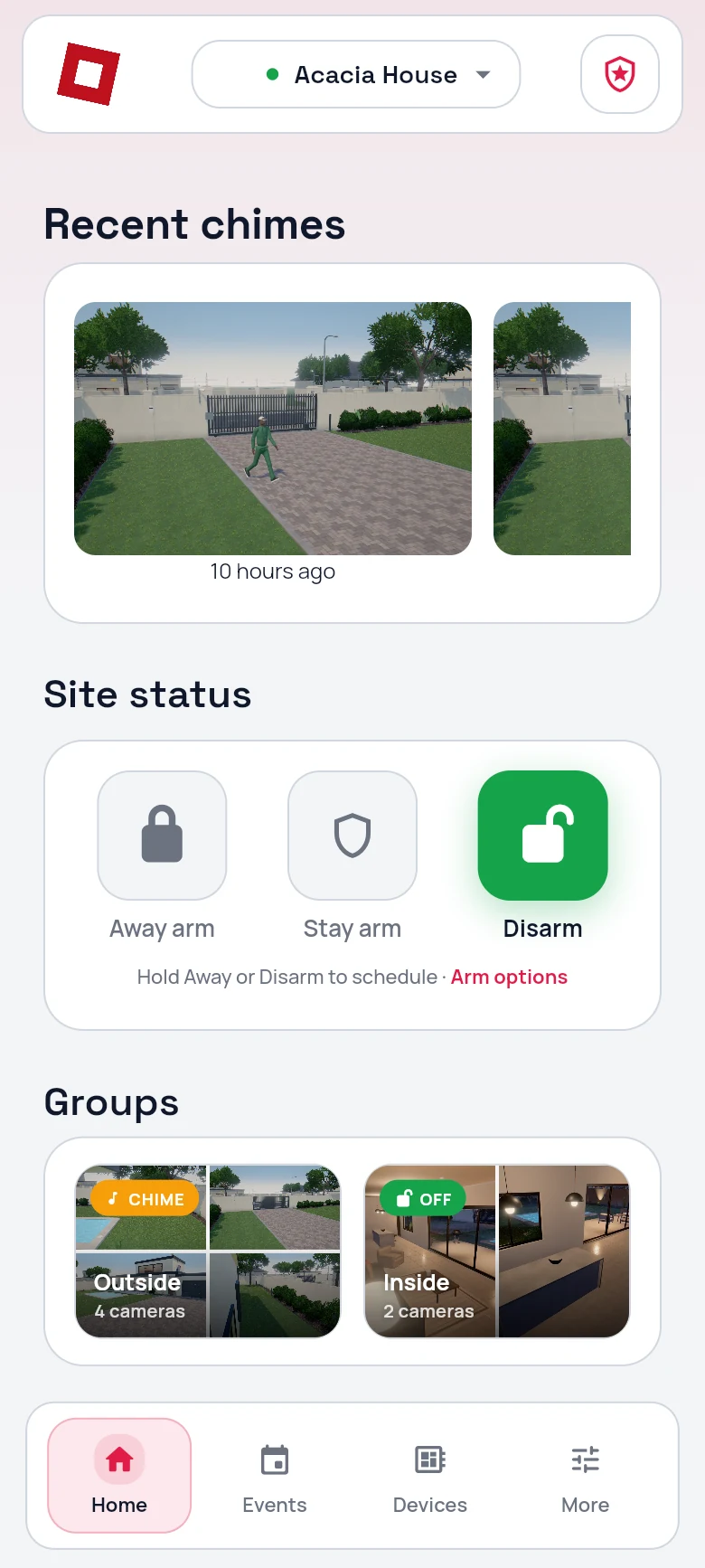
CleverAlert home screen: recent chimes, site status with away arm, stay arm and disarm, and camera groups
3:08
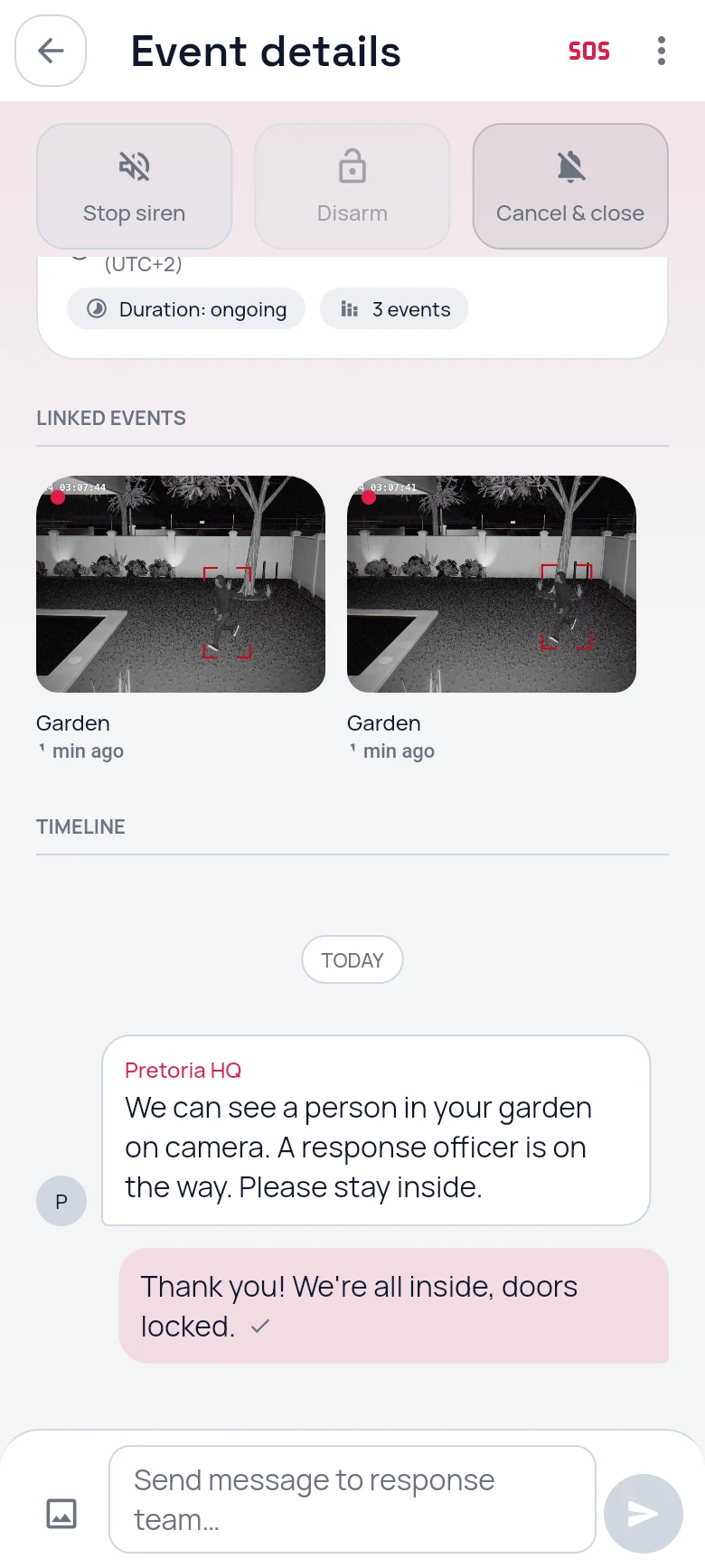
CleverAlert event chat with the control room: a response officer is on the way
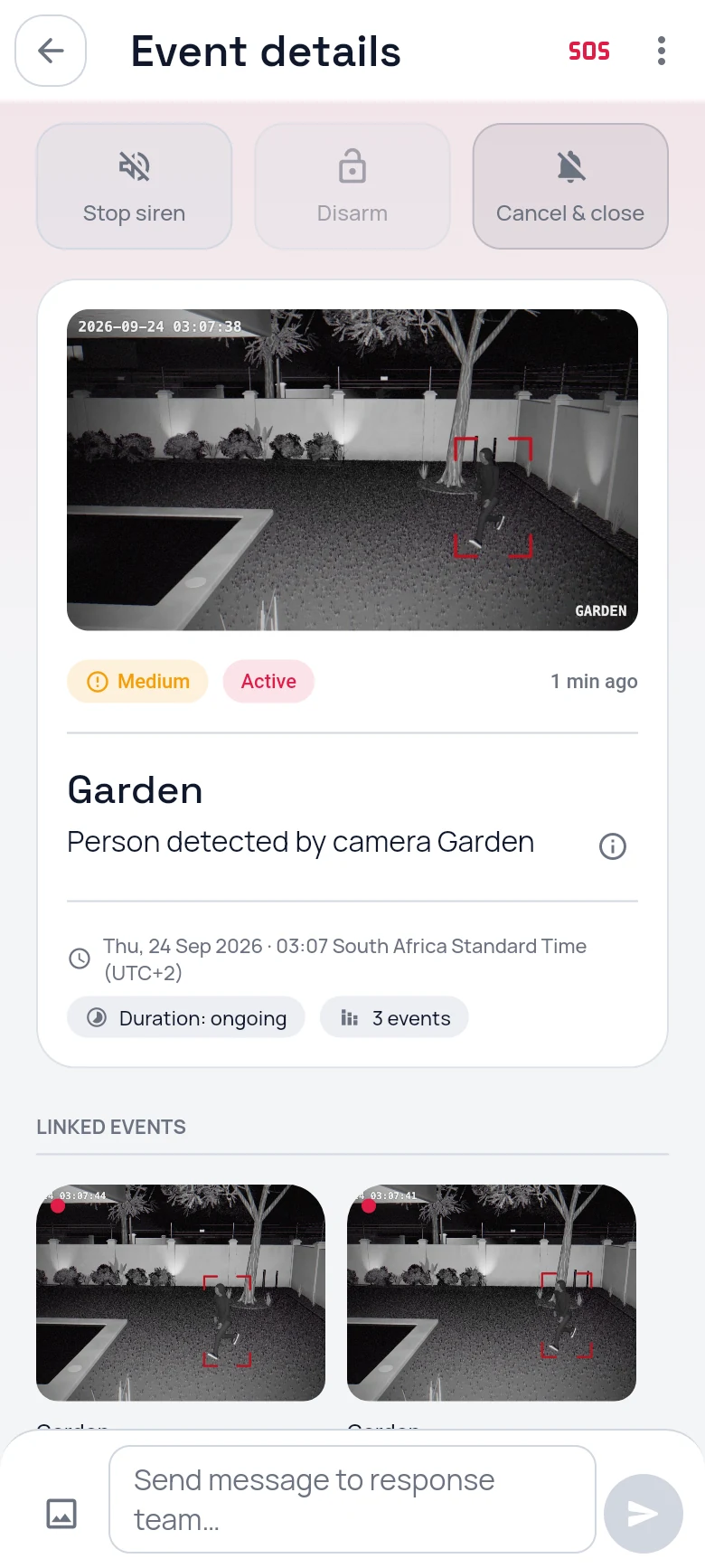
3:07
CleverAlert event details: the alarm photo from the garden camera, with stop siren, disarm and cancel
When something happens

Respond in seconds.

The alarm opens on the photo. Stop the siren, disarm, or message your security company's control room, all from the same screen. No phone calls to find out what is going on.

  • The photo the camera took, with the person marked
  • Stop the siren or disarm without leaving the screen
  • Chat to the control room on the event itself
In the app

Everything you need. One app.

The alarm, with its photo

The moment the hub sees a person or vehicle, the event is on your home screen with the picture. Decide in a glance.

9:41
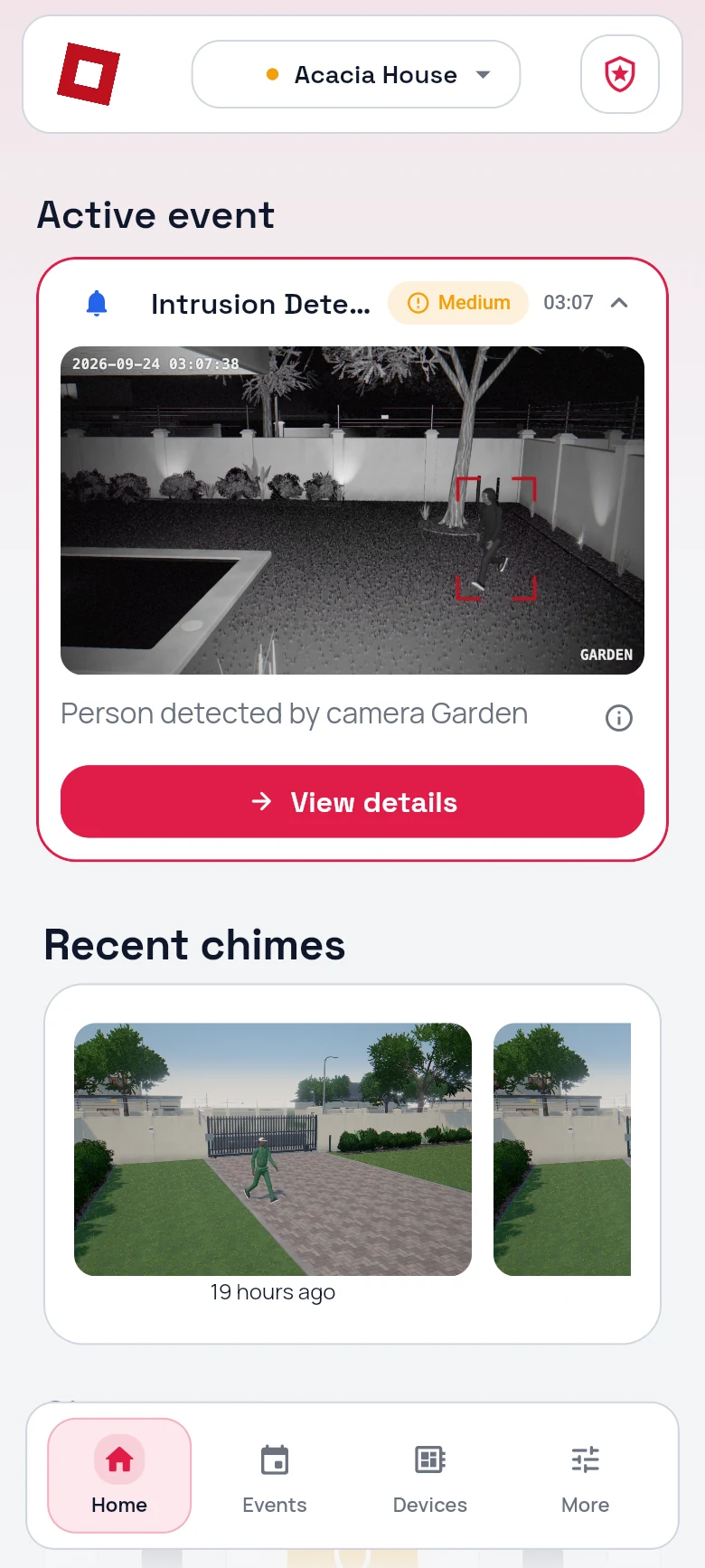
CleverAlert home screen with an active event: a person detected by the garden camera, with the photo

Live view, anywhere

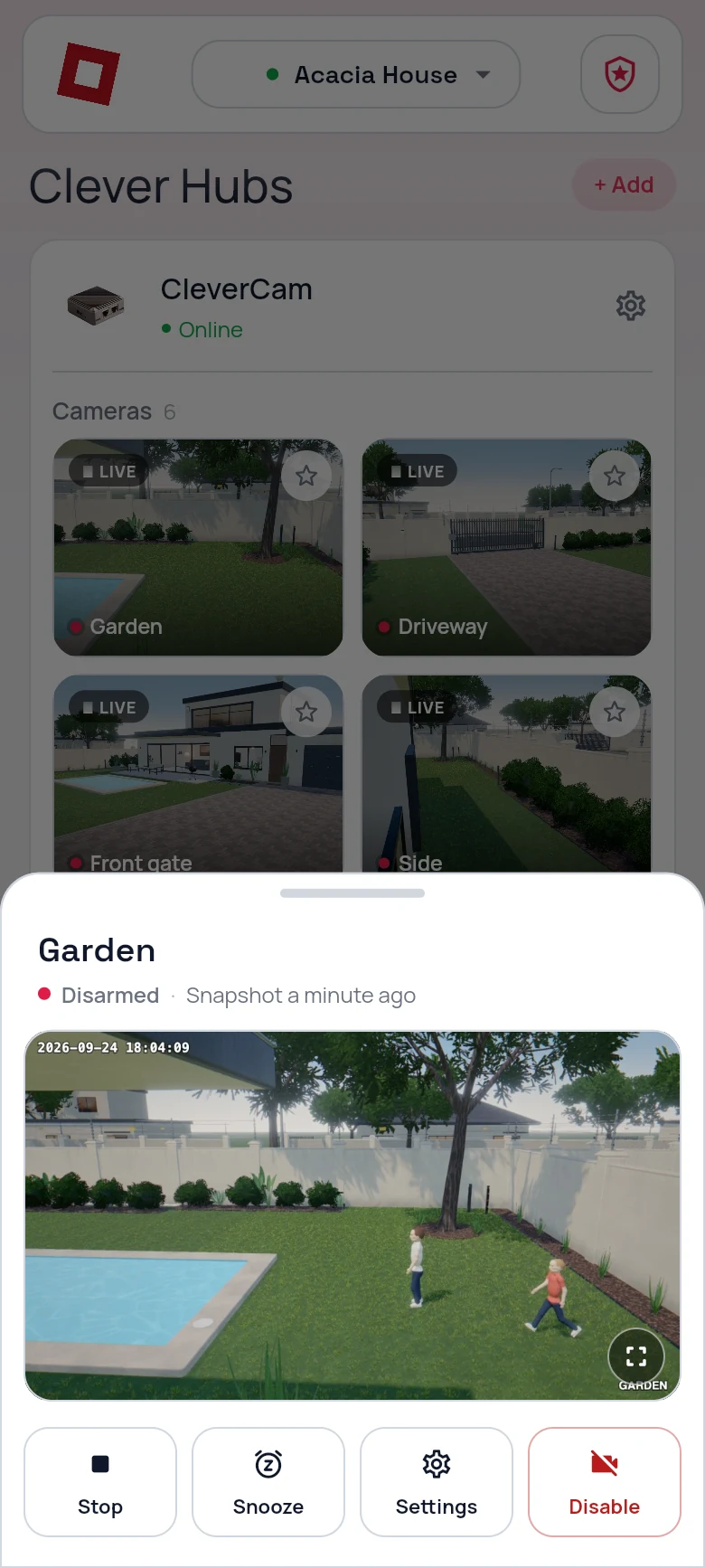
Any camera in real time over an encrypted tunnel. Stop, snooze or disable it from the same sheet.
9:41
CleverAlert live view of the garden camera with stop, snooze, settings and disable

Schedules that run themselves

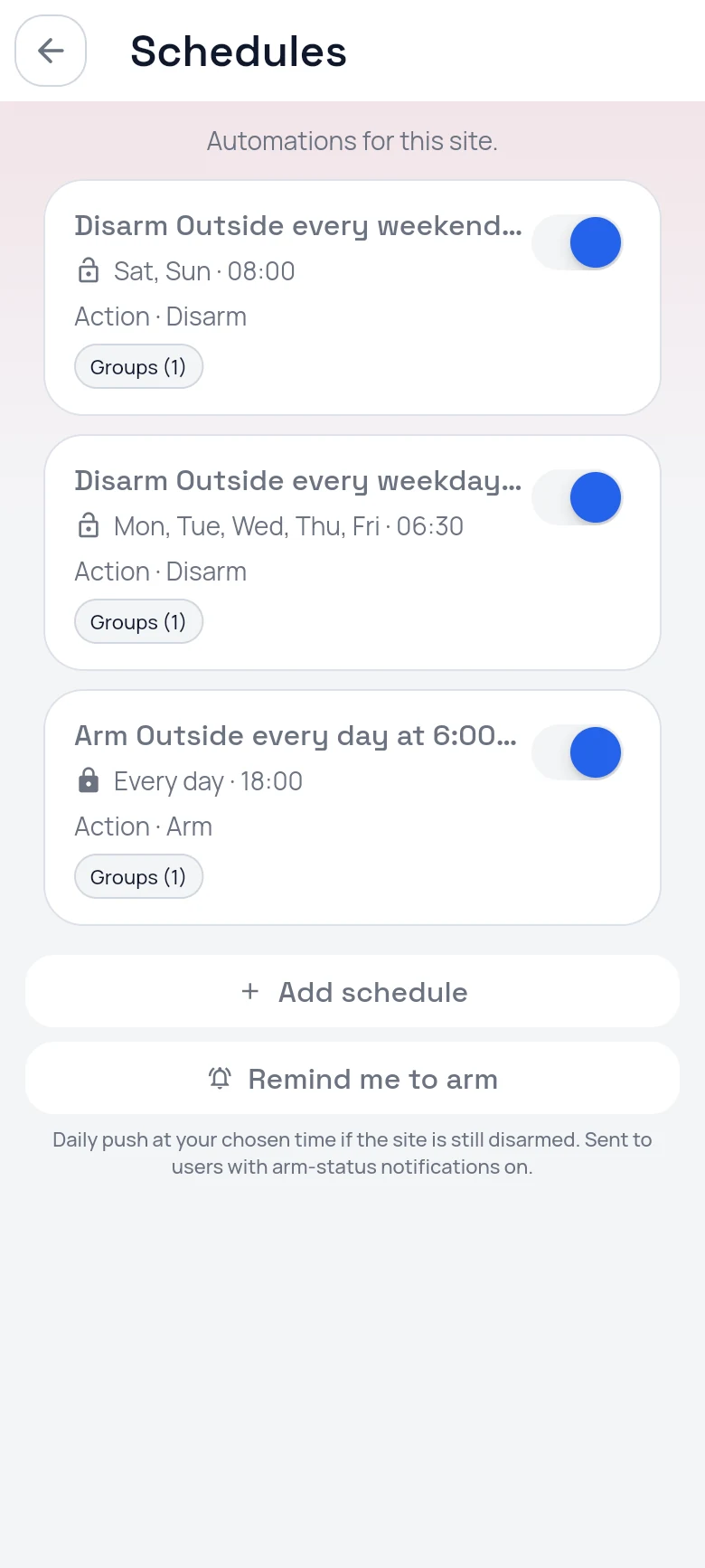
Arm and disarm per group by time of day and day of the week, so you never forget.
9:41
CleverAlert schedules: disarm outside on weekends and weekdays, arm outside every evening

Groups and chime mode

Outside armed, inside off. Switch a group to chime-only while you are home.
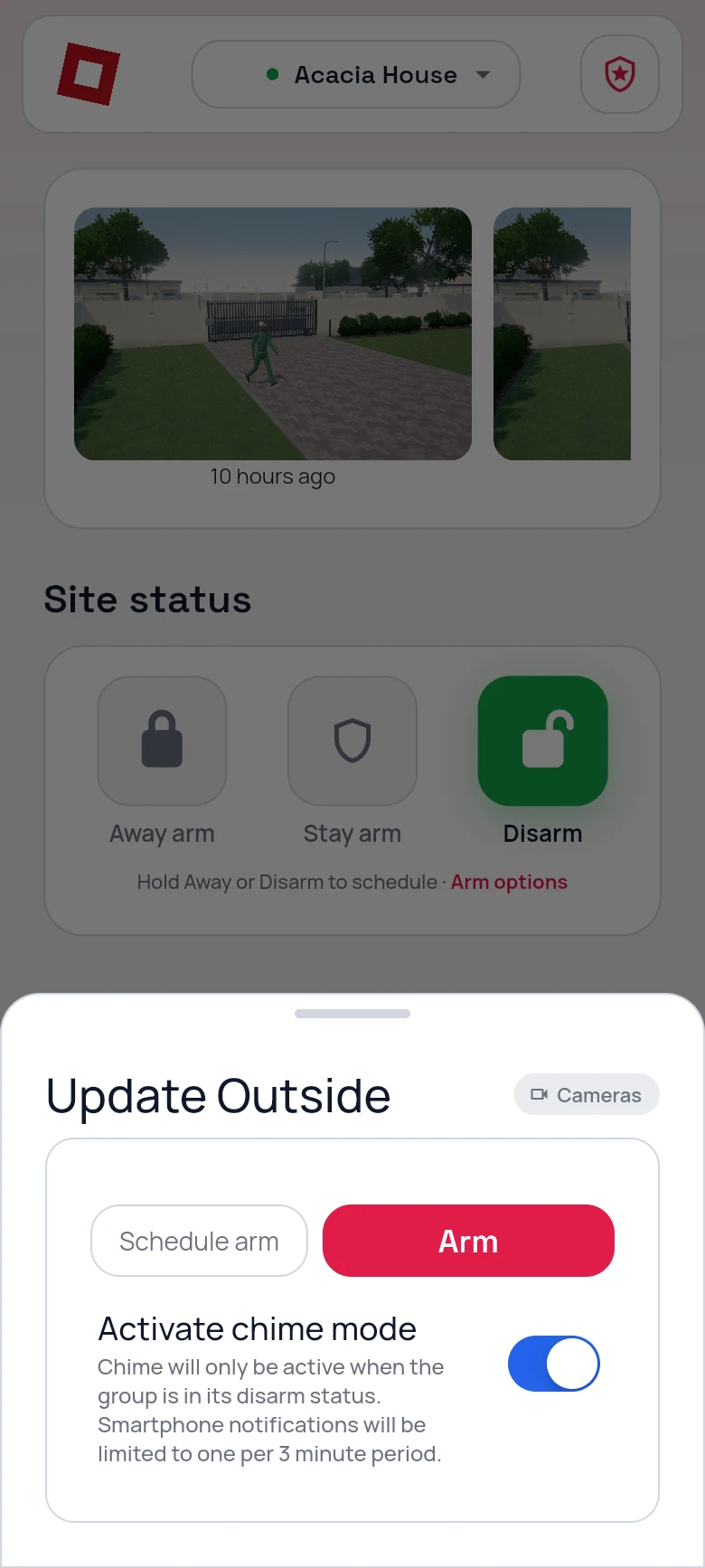
9:41
CleverAlert sheet for the Outside group: schedule arm, arm, and a chime mode switch

Chimes

Someone at the gate? A gentle notification with the photo, not an alarm.
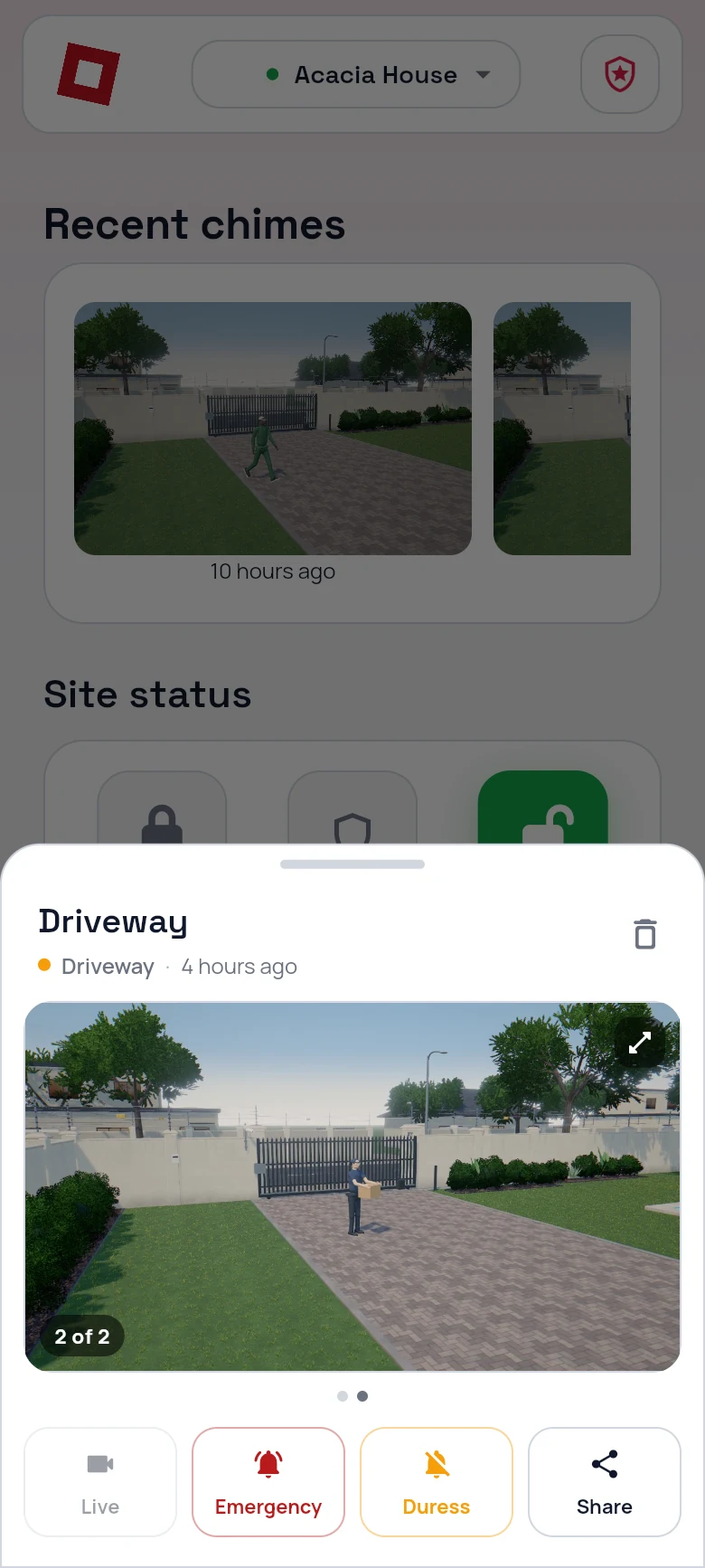
9:41
CleverAlert chime from the driveway camera showing a courier at the gate

Every camera at a glance

Your hub and all its cameras, live, on one screen.

9:41
CleverAlert devices screen: one hub online with six live cameras
Getting started

Live in three steps.

1

Download the app

Get CleverAlert free from the App Store or Google Play.

2

Create your account

Sign up in seconds with your email address.

3

Add your hub

Scan the QR code on your Clever Control Unit and you are live.

Take control of your security.

Download CleverAlert for free. The alarm with its photo, live view and your whole site in your pocket.

Download on the App Store Get it on Google Play