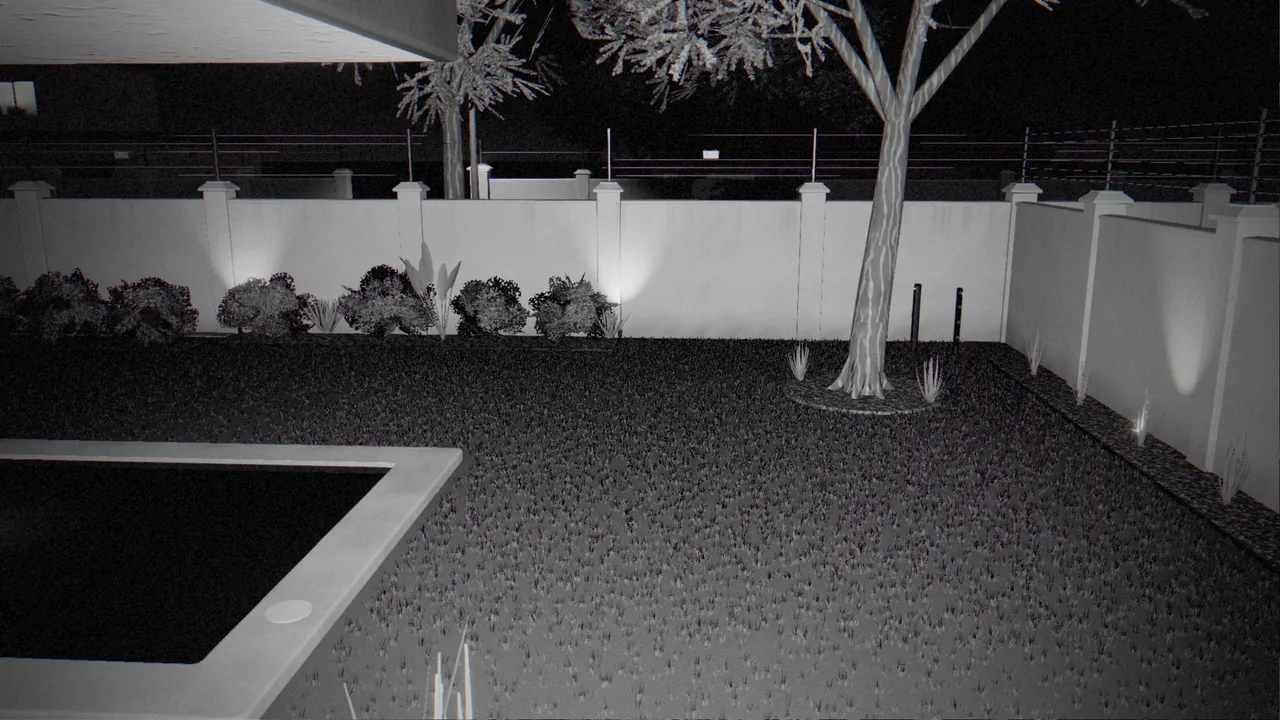
Why night is different
During the day a camera has plenty of light, a colour picture and a stable exposure. At night it switches to infrared, loses colour, raises its gain and starts guessing. Image noise goes up, anything close to the lens is lit far more brightly than the scene behind it, and small changes produce big differences from one frame to the next.
Traditional motion detection compares frames and alerts on the difference, so the night-time picture gives it a lot to react to. The result is the familiar pattern: a quiet day followed by a flood of alerts after sunset, until the owner switches the system off.
AI detection works differently. It looks for the shape of a person or a vehicle rather than for changed pixels, so it ignores most of what follows. But it is not magic. It can only classify what the camera can actually see. The best results come from fixing the physical cause and using a detector that looks for people. Here are the nine causes we see most often.
1. Spiders and webs on the lens
This is the number one cause of night-time motion alarms. Cameras are warm and they glow, which attracts insects, which attracts spiders. A single strand of web a few centimetres from the lens is lit brilliantly by the camera's own infrared, and when it moves in the breeze it fills a large part of the picture.
Fix: clean the camera housing regularly, especially after rain. Avoid mounting cameras tight under eaves and gutters, where spiders prefer to build.
2. Insects in the infrared beam
Moths and flying insects near the lens show up as bright streaks crossing the picture. To a motion detector they are large moving objects.
Fix: keep security floodlights away from the cameras themselves. A light next to a camera draws insects straight into its view. Light the scene, not the lens.
3. Rain, mist and drizzle
Infrared lights up every raindrop close to the lens. Heavy rain turns the picture into a moving sheet of noise, and water droplets on the dome can smear the whole view.
Fix: choose cameras with a proper sunshield or hood for exposed positions, and angle the camera slightly downward so water runs off rather than beading on the glass.
4. Infrared bounce
A camera mounted close to a wall, gutter, eave or pole will throw part of its infrared back into its own lens. The near surface blooms white, the camera darkens the rest of the picture to compensate, and the background turns into grainy noise.
Fix: mount the camera so that nothing is in the first metre or two of its view. If that is not possible, rotate it so the near surface is out of frame, or add external illumination and reduce the camera's built-in infrared.
5. Headlights and torches
A car turning in the street can sweep a bright beam across the whole scene. Shadows lurch, exposure jumps, and a motion detector reports a large movement.
Fix: where possible, aim cameras away from the road and along the property. Use Privacy zones in the CleverAlert app to mask the street itself. Nothing inside a privacy zone raises a detection, and the masked area is blurred on event photos. As a bonus, that respects your neighbours' and passers-by's privacy.
6. Moving shadows and trees
Branches in the wind, shadows cast by swinging security lights, and plants moving in front of a spotlight all change large parts of the picture.
Fix: trim vegetation in front of cameras and lights, and mount lights so they do not swing. A person detector largely ignores these, but a branch that repeatedly covers the lens will still hide anything behind it.
7. Animals
Dogs, cats, birds and, in many South African suburbs, monkeys are the classic cause of motion alarms. A dog crossing the driveway ten times a night is ten alerts.
Fix: this is where people-and-vehicle detection earns its keep. CleverCam detects people, and vehicles when Vehicle detection is switched on, and nothing else. Pets are not people.
8. The day-night switch
At dusk and dawn the camera flips between colour and infrared mode. The whole picture changes in a single frame, and with some cameras it clicks back and forth several times while the light is marginal.
Fix: a detector that looks for objects rather than frame differences ignores the switch. If your camera flips repeatedly, adjust its day/night sensitivity setting.
9. Flags, washing, pool covers and plastic bags
Anything that flaps is a motion trigger. Washing lines are a particular favourite.
Fix: move the washing line out of the camera's view, or mask it with a privacy zone if it has to stay.
What AI does not fix
Almost every false trigger above disappears when a camera is watched by a people detector. But there is a mirror-image problem that no software can solve on its own: a camera that cannot see a person clearly cannot detect one reliably. If an intruder is too far away, too dark or at too steep an angle, they may be only a handful of pixels on the camera's detection stream.
Reducing false alarms is only half of the job. The other half is making sure real ones are caught, and that comes down to camera choice, placement and stream settings. We cover those in our placement guide and our stream settings guide.
A five-minute night-time checklist
Walk the property after dark with the live view open on your phone:
- Is every lens clean and free of web?
- Is anything within a metre or two of each camera glowing white?
- Can you clearly see a person standing at the boundary, not just near the house?
- Are any lights shining into a lens, or attracting insects in front of one?
- Is the street, a neighbour's window or a washing line in view? If so, mask it.
Twenty minutes of fixing the physical causes will do more for a system's reliability than any setting in any app.